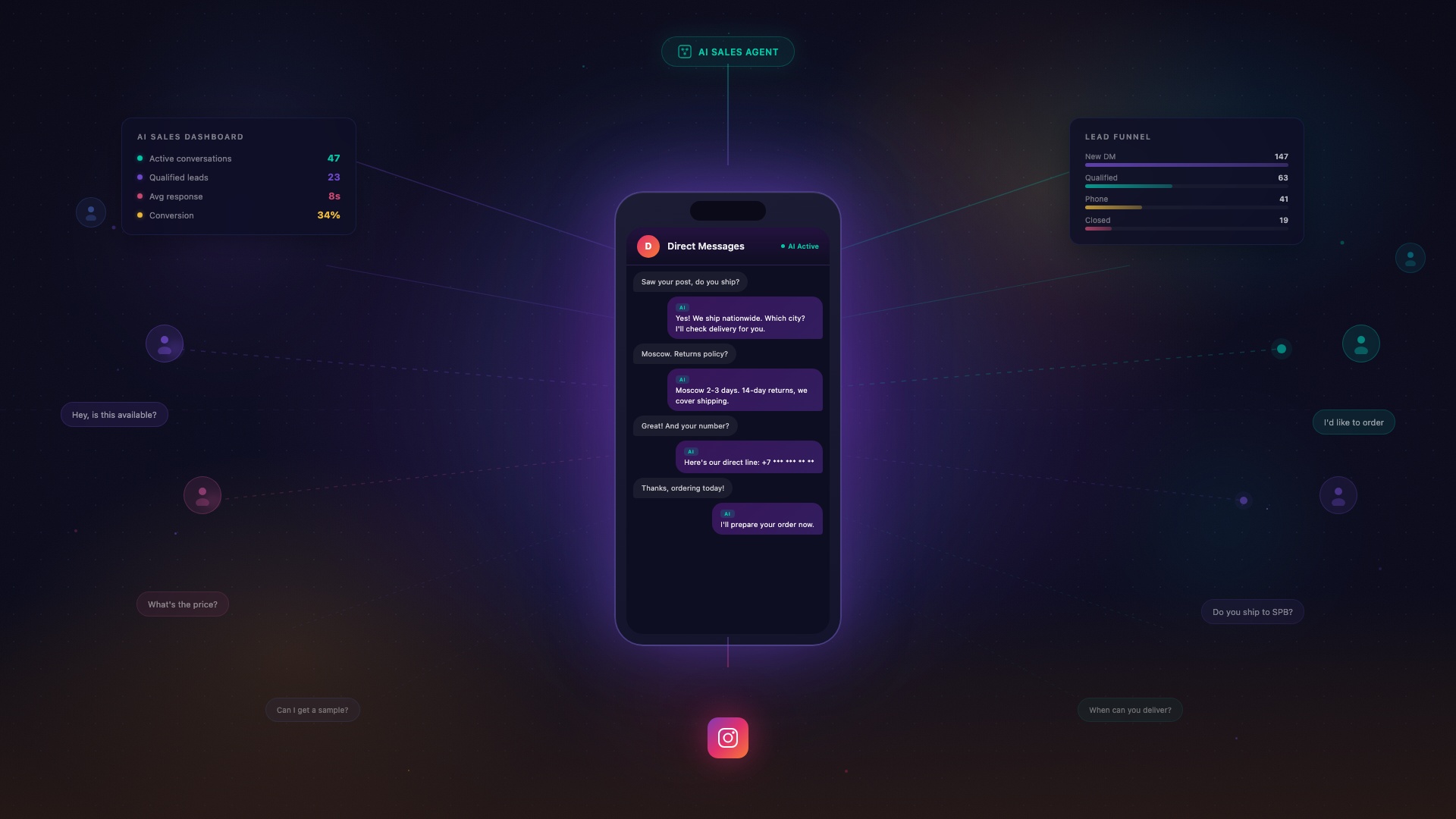
How I Built an AI Sales Manager for Instagram Direct - and Why the Hardest Part Wasn't AI
June 5, 2026
I built not a chatbot, but an AI sales manager for Instagram Direct. The hardest part turned out to be not AI - but simply reading an incoming message through code.
A week ago I was sitting at the terminal and realized I was stuck. Not on neural networks - those started working in a day. Not on architecture - SQLite and a couple of APIs, nothing cosmic. I was stuck on simply reading an incoming message in Instagram Direct through code. Just reading it. That cost me more nerves than the entire rest of the system combined.
I have a client with an active Instagram account. Every day - dozens of incoming DMs: “how much is it?”, story replies, product photos, voice messages. By evening the hot buyer who wrote in the morning is buried under a layer of noise. The owner can’t keep up. Money leaks out. The classic.
I decided to look at Direct not as a messenger, but as a sales department. And if it’s a department - it needs a manager. Not a human one (expensive, doesn’t scale), but an AI system that sorts incoming leads, tells you who to message right now, and drafts a reply in the owner’s voice.
Writing this while it’s still fresh and I remember every command. This isn’t “how to do it by the docs” - this is how I actually built it, rakes included.
Four beats, not “sat down and coded”
Beat 1. Recon. Before writing code, I scanned the IG-DM/CRM tools market. Found a positioning gap. Existing solutions are either chatbots with branching logic, or CRMs with no content understanding. Nobody combines an intent axis + situation detectors + media reading (photos, voice messages, video) + semantic search over history + AI drafts in the owner’s voice. That’s where the message was born: this isn’t a chatbot, it’s an AI sales manager.
Beat 2. Design. Through Claude Design (claude.ai) I created a full brand guide - mark, palette, typography - a landing page and a CSS skin for the dashboard. I grabbed the skin as raw material (CSS tokens + classes) and ported it into the server engine. This gave me a unified visual language before a single line of business logic was written.
Beat 3. Core. Built the architecture on a tight-RAM Hetzner VPS - without a single heavy ML dependency. All the “expensive” stuff (LLM, embeddings, multimodality) is offloaded to cloud APIs.
Beat 4. Productization. Turned an internal tool into a product with a public demo, a login gate, and a landing page.
The hardest part: how to even receive and send Instagram DMs
Before discussing AI - you need to sort out the thing without which the whole system is pointless: programmatic access to Instagram direct messages. This turned out to be the heaviest and most non-obvious part of the project. Not neural networks, not architecture, but literally “how to read and write DMs through code.”
The truly hard part of integrating with Instagram DM isn’t AI - it’s getting authorized access to read and write direct messages. AI is just API calls. All the blood is in the transport layer.
In a previous post I described the official path: your own app in Meta for Developers, a System User Token, passing App Review. I passed App Review. But it never gave me permissions specifically for direct messages. Posting, reading and replying to comments - sure. But getting into Direct through the official API - that’s a separate wall, higher than the previous one. For this project I found a shorter path - bypassing that wall entirely. Here’s how.
The official path - a wall. To get programmatic access specifically to direct messages, you need a separate round of App Review for the instagram_manage_messages permission: business verification of the company, screencasts demonstrating each scenario, justifications, weeks of back-and-forth with reviewers, and frequent rejections without clear reasons. For one account and fast iterations this is overkill that eats weeks before you read your first message.
The breakthrough - Zernio. Instead of becoming my own Meta application, I took a service that’s already an approved Meta Tech Provider. That’s Zernio, and it has a free tier for direct messages. You connect your account through its OAuth flow (Meta approval sits on Zernio, not on you) - and you immediately get programmatic DM access without your own app review. The hardest part of the entire project collapsed to 15 minutes of setup.
Receiving messages: webhook
Zernio sends a webhook to my endpoint on every event: message.received, message.sent, message.failed. Initial setup - a verification handshake in the Meta style: a GET request with a hub.challenge parameter, I return the challenge back (proving endpoint ownership). Each POST is signed with a signature header - I verify the request is actually from Zernio, not spoofed.
Hard constraint: the webhook works on a fire-and-forget principle with retries. If you don’t respond 200 within a few seconds - Zernio starts retrying and floods you with duplicates. So the handler is structured like this:
# Immediately 200, heavy work — in a background thread
def handle_webhook(request):
    verify_signature(request)
    payload = parse(request)
    send_response(200)
    threading.Thread(target=process, args=(payload,)).start()
The message.received payload contains sender: {id, username}, text, and attachments (media).
Sending messages
POST /inbox/conversations/{id}/messages
Content-Type: application/json
Authorization: Bearer <token>

{"accountId": "...", "message": "reply text"}
Long replies get sliced to the IG DM length limit (around 1000 characters) and sent in chunks with pauses - otherwise Instagram returns HTTP 400 and the message silently disappears.
Reading history and dedup
GET /inbox/conversations/{id}/messages?accountId=<id>Returns the full conversation, including the owner’s manual replies (they come in as outgoing from “You”). This is critical: the bot sees that the owner already replied to the client by hand, and doesn’t double-reply.
Meta constraint - 24-hour window. Meta only allows writing to a user within 24 hours of their last incoming message. Outside the window you need special tags or a human-agent flag. So the system is built to reply fast - and escalate to the owner if unsure about the answer.
Architecture: what’s inside and why
The key constraint - a Hetzner VPS with tight RAM. No PyTorch, no local vector databases, minimal dependencies. Everything heavy is computed in the cloud, the server only orchestrates.
The “brain” - Claude (Anthropic). Generates replies in the owner’s voice - not a template “Hello, your request has been received,” but living text, as if the owner were writing themselves. Outgoing messages don’t fly to the client directly by default - they go to a Telegram bot for confirmation. The owner sees the draft in Telegram, can edit the text right in a reply or hit “send as is.” This is human-in-the-loop: AI prepares, human decides. Not a single message goes to Direct without the owner’s knowledge.
Memory and CRM on SQLite. Chose SQLite specifically because of RAM constraints - no ORM, no external process needed. Inside:
- full conversation history (mirrors the thread from Zernio)
- “already answered” dedup (including the owner’s manual replies)
- lead cards: segment, phone number, funnel stage
- full-text search via FTS
Intent axis. For each lead, Gemini 2.5 Flash assigns a label: “ready to delegate the purchase” / “choosing on their own” / “just browsing.” The label comes with a quote-justification from the conversation and a confidence level. Classification runs automatically on a timer and on each new message. Gemini costs pennies and works well with short contexts - the ideal classifier.
Detectors - ready-made worklists. Instead of endlessly scrolling through conversations - concrete queues with priorities:
- “hot without reply” - who wrote and is waiting
- “want to buy but no phone number” - need to push
- “silent for three days” - time to reactivate
Open the dashboard in the morning - and you immediately see who to message right now. Not “all 47 conversations,” but three specific names with context.
Media reading. Photos, voice messages, video, story replies - everything runs through Gemini 2.5 Flash and gets turned into text. The result is cached by asset ID. The bot “understands” not just text, but product photos, voice questions, video demos.
Semantic search. gemini-embedding-001 (768 dimensions) gives search by meaning: “who asked about delivery,” “who mentioned a wholesale order.” No local vector DB - cosine distance is computed right in Python. For hundreds of leads that’s more than enough.
Goal config. The funnel focus - what matters most right now: collect phone numbers, close for a visit, offer a promo - is set via a live config:
{
  "goal": "collect_phone",
  "priority_label": "no phone number",
  "nudge": "Ask for a phone number"
}
Change the JSON file - the brain reconfigures without restart.
Dashboard on stdlib. Written on pure http.server from Python’s standard library. No Flask, no Django, no Streamlit - to save RAM. Shows leads, detectors, drill-down into the full thread, a reply composer with a confirmation gate, an AI draft button, funnel stage switching. Profile enrichment (follower count, verification) is pulled from Zernio.
Productization: one engine, three modes
To turn an internal tool into a product, I made the engine context-driven via environment variables: brand, owner name, intent axis labels, read-only mode, base path. The same code renders both the real working panel and the public demo.
Demo database. A fictional niche, fake leads, 16 conversations. Read-only mode: sending is disabled, a “this is a demo” banner is visible immediately. No real data.
Login gate. Access used to be via a secret URL with a token in the query string. Quick, but not good enough for a product - the link leaks into browser history, Slack threads, screenshots. I built a proper login/password form. The session is stored in a cookie: the value is a hash of the login:password pair, the password is never stored in plain text, the cookie survives server restarts. In the end, three access modes coexist in one engine: open demo / legacy token for backward compatibility / login form.
Deployment
Two systemd units: one for the demo (read-only, demo database, open access), one for the real panel (behind login). I didn’t touch the existing production - deployed alongside it.
# /etc/systemd/system/dm-dashboard-demo.service (simplified)
[Service]
Environment="DASH_MODE=demo"
Environment="DASH_DB=/opt/dm-dashboard/demo.db"
ExecStart=/opt/dm-dashboard/venv/bin/python3 dashboard.py
Landing page is served as static files through Caddy.
DNS. The product domain was sitting on the registrar’s “shop” nameservers, where zone management API wasn’t available. Through the reg.ru API I switched to standard NS, added A records, cleaned up parasitic “parking” records.
Autonomous DNS watcher. A small daemon script polled DNS and, as soon as the domain resolved to the right IP, it activated the proxy record and triggered TLS certificate issuance through Let’s Encrypt. An important insight: Let’s Encrypt validates the domain through authoritative servers, so you can issue a certificate before public resolver caches update.
Rakes I stepped on
Seven specific spots where I tripped. Each cost anywhere from half an hour to an entire evening.
1. systemd and spaces in values. Environment=KEY=value with spaces silently takes only the first word. Spent hours debugging “why is the variable truncated.” The fix:
Environment="KEY=value with spaces"Quotes are mandatory if the value contains spaces or special characters.
2. A DB module was looking at the wrong env variable. One of the storage modules was bound to a different variable for the database path than the rest. The demo nearly started reading the real database with client data. Lesson: check which env the DB path is actually bound to in every module, not just the main one.
3. CSS skin loads relative to the script. The skin is loaded via dirname(__file__). Deploying to the server means you must copy the CSS next to the Python file, otherwise the dashboard crashes on startup with a cryptic error.
4. reg.ru API with IP whitelist. I tried managing DNS from my MacBook - Access Denied. The reg.ru API only works from whitelisted IPs. My whitelist only had the server’s IP. All DNS operations - from the server via SSH.
5. Dev artifacts in production. The landing page had a leftover A/B/C headline switcher from Claude Design and an email obfuscation script. Visitors see three buttons that shouldn’t be there. I only noticed when demoing to a real person. Lesson: before going live - a full audit of the landing page for dev leftovers. Open in incognito and scan every element as if you’re seeing the site for the first time.
6. IG DM length limit - around 1000 characters. Longer messages return HTTP 400 and silently disappear. I found out when a client didn’t receive a reply. The fix: slice long replies into chunks and send with pauses.
7. Webhook must respond instantly. Zernio retries on delay - you get duplicate incoming messages. The only reliable pattern: respond 200 immediately, all logic in a background thread.
Stack to replicate
- Python stdlib (
http.server) - dashboard and API - SQLite + FTS - conversation memory and CRM
- Claude (Anthropic) - the “brain”: generates replies in the owner’s voice
- Gemini 2.5 Flash - intent classification and media reading (photos, voice messages, video)
- gemini-embedding-001 (768 dimensions) - semantic search over history
- Zernio (free tier) - Instagram DM transport: webhooks, sending, thread history; Meta Tech Provider, skipping app review
- Telegram bot - human-in-the-loop (outgoing confirmation)
- Hetzner + Caddy + systemd + Let’s Encrypt - hosting, reverse proxy, TLS
- reg.ru API - DNS zone management
- Claude Design (claude.ai) - brand, landing page, CSS skin
Bottom line
I’m not a developer. I first opened Claude Code in February - four months ago. But this project showed me a simple thing: the hard part isn’t AI. Claude, Gemini, embeddings started working in a day - they’re just API calls. All the blood went into the transport layer - authorized access to read and write Instagram Direct. How I bypassed the Meta App Review wall is covered above.
All the heavy magic lives in cloud APIs. The server only orchestrates: receive a webhook, call an API, store the result in SQLite, serve HTML. In practice this means you can spin up a system like this on the cheapest VPS - mine fits in a couple of gigabytes of RAM.
The main shift isn’t technical, it’s conceptual: Direct is not a messenger, it’s a sales department. If it’s a department - it needs a manager. AI handles it, as long as you properly split what the cloud computes and what the server does.
Questions and to see a working prototype - DM me at @magic4e. Subscribe to @mdkguru - I show every day how I’m building a team of AI agents and what it turns into. The 300,000-ruble bet is in full swing.
Liked the article?
@mdkguru on Telegram →